NutriSense
AI Nutritional Tracking
Overview
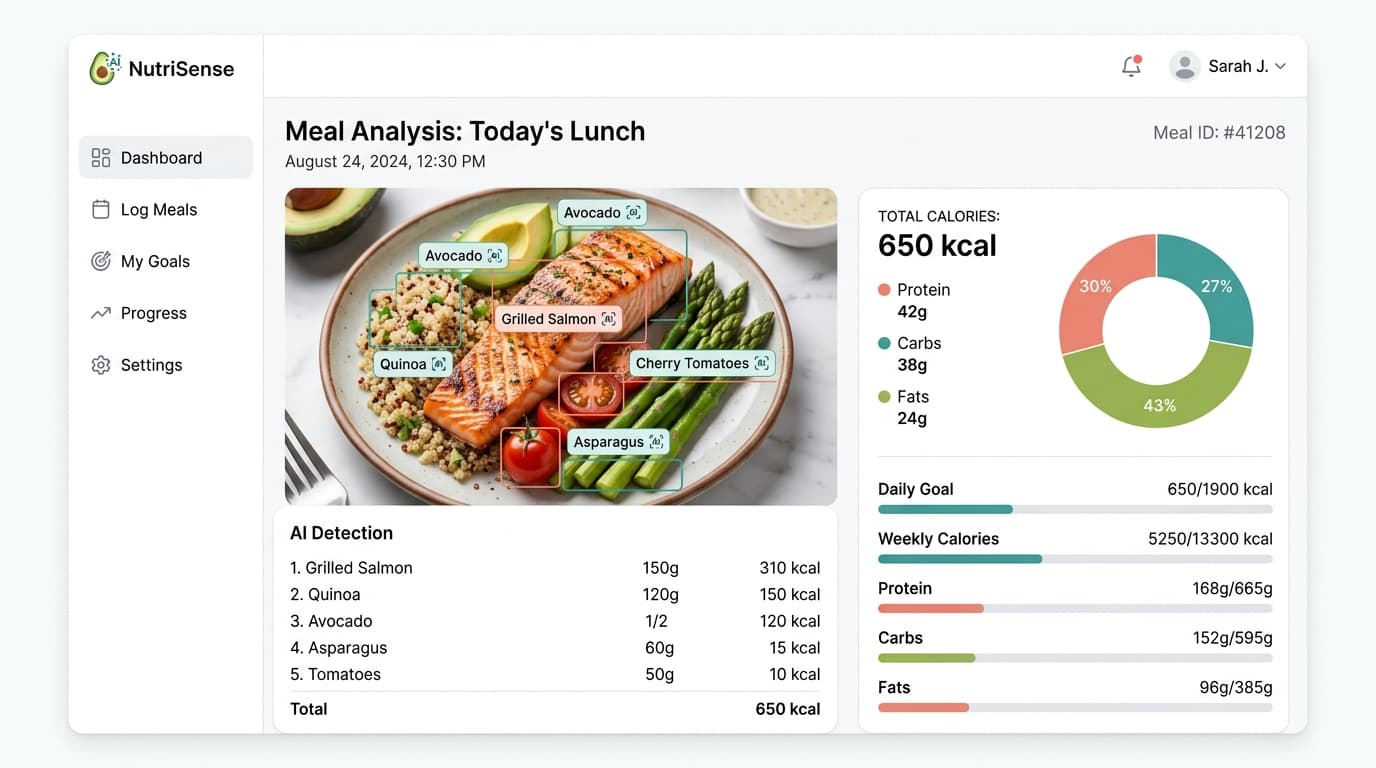
NutriSense transforms the tedious process of calorie tracking into a frictionless experience by using multimodal AI to analyze photos of meals.
The Problem
Manual food logging is the biggest point of friction in diet tracking apps. Users abandon apps because searching for ingredients and estimating portion sizes is too time-consuming.
The Solution
By integrating the Gemini Multimodal API, NutriSense allows users to simply snap a picture of their plate. The system estimates ingredients, portion sizes, and macronutrient breakdowns instantly.
Technology
Frontend
- React
- Next.js
- Tailwind CSS
- Recharts
Backend
- Node.js
- Prisma ORM
Database
- PostgreSQL
- Supabase
AI
- Google Gemini Vision API
Optical Ingest
Meal Photo Capture
Multimodal AI
Gemini Vision API
Schema Layer
Strict Zod JSON Validation
Persistence
Prisma & Supabase Postgres
Key Capabilities
Visual Logging
Upload a photo of your meal for instant nutritional analysis via the Gemini API.
Dynamic Dashboards
Interactive charts tracking macro and micro nutrient trends over time.
Personalized Goals
AI-generated diet adjustments based on user progress and weight goals.
Obstacles Faced
- Implemented strict JSON schemas in the prompt and added a Zod validation layer on the backend to fix inconsistent AI JSON output.
Key Takeaways
- Relying entirely on LLMs for structured data requires aggressive fallback mechanisms and strict typing.
- Server Actions in Next.js drastically simplify mutation logic but require careful error boundary handling.
Future Improvements
- Add barcode scanning for packaged foods.
- Implement social sharing features.
- Expand macro micronutrient tracking capabilities.